 kemangVPN
Install iOS App
Catatan: di App Store aplikasi kami bernama VPNClient. Unduh aplikasi tersebut, lalu masuk memakai akun kemangVPN Anda.
How to connect with VPNClient
- Make sure you have your VPN username and password: both are emailed when your service is activated, and also shown in your account area.
- Install VPNClient, then open the app.
- Sign in with your VPN username and password. Copy and paste them from the email to avoid typos (they are case sensitive).
- On the main screen, tap the location row to pick a server. Jakarta and Singapore are the closest to Indonesia.
- Swipe or tap the START button to connect. The first time, allow your iPhone to add a VPN configuration.
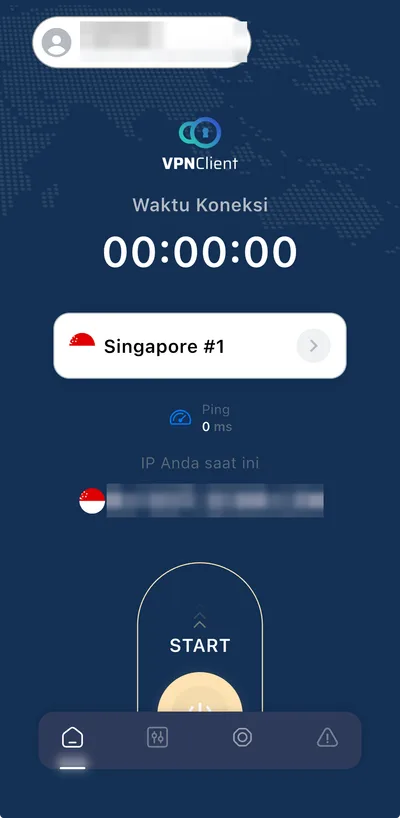
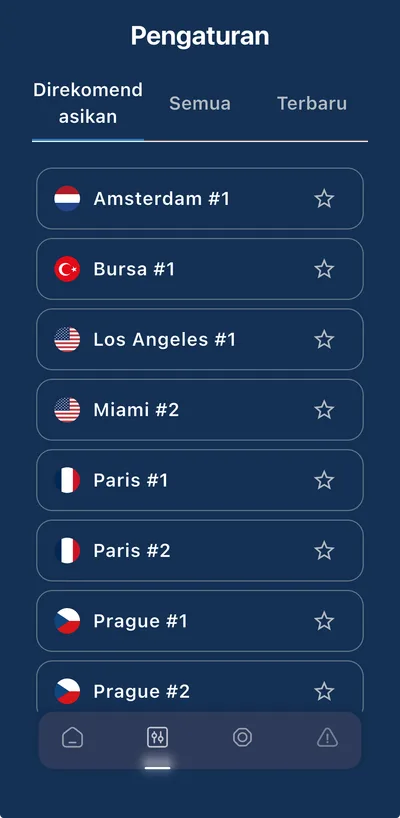
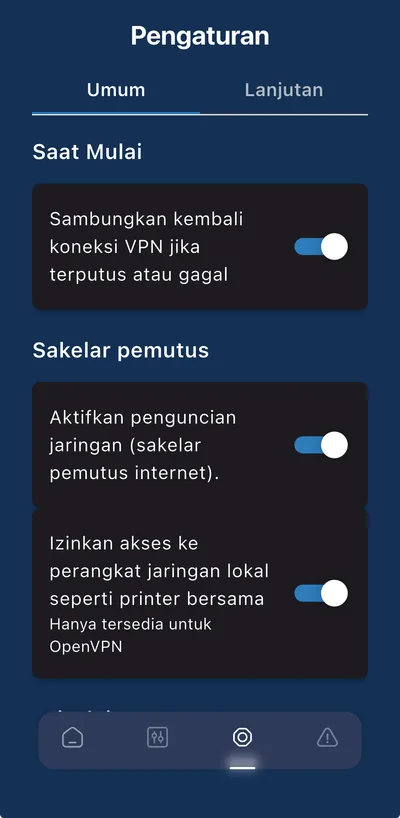
These pictures were taken from VPNClient on an iPhone; it looks almost the same on Android.
Tips:
- The first connection after installing can take a moment.
- If it does not connect, open Settings, Advanced tab, and change the protocol.
- If needed, restart your phone after installing VPNClient.